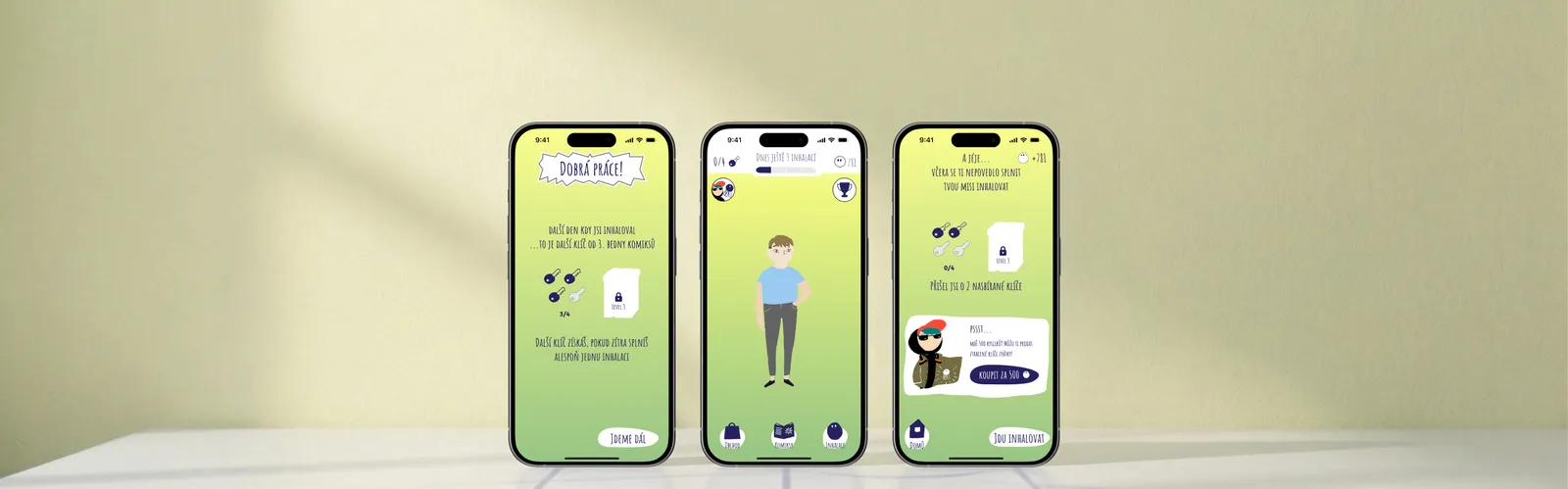
Empowering children to do inhalations more regularly
In-house UX design for an existing child healthcare app, Spring 2021
Working as a junior designer with a senior designer. Collaborating with PM, UI designer and DEVs.
CF Hero is a small non-profit with an app for kids with Cystic Fibrosis. Its goal is to slow down the progress of the disease by encouraging regular inhalations.
Problem
Kids were not doing inhalations consistently
The previous streak mechanism didn't motivate kids to do inhalations regularly and unlock higher levels.
Solution
A redesigned streak mechanism with a visual "keys" metaphor
The project resulted in a redesigned streak and new screens in the existing user flow. Keys visualise progress to the next level, making it tangible and self-explanatory for children who may have trouble reading.
How final solution solves the problem ↓Key metrics
2x
More regular inhalations
Resulting in prolonged lifes of CF users
15
Highest level reached by any user
Previously max level 3.
The process
Understanding what causes children to not use the app regularly
Together with the senior designer we analysed the existing user journey and app flow and came up with hypotheses which we later validated with users in the first part of usability test interviews.
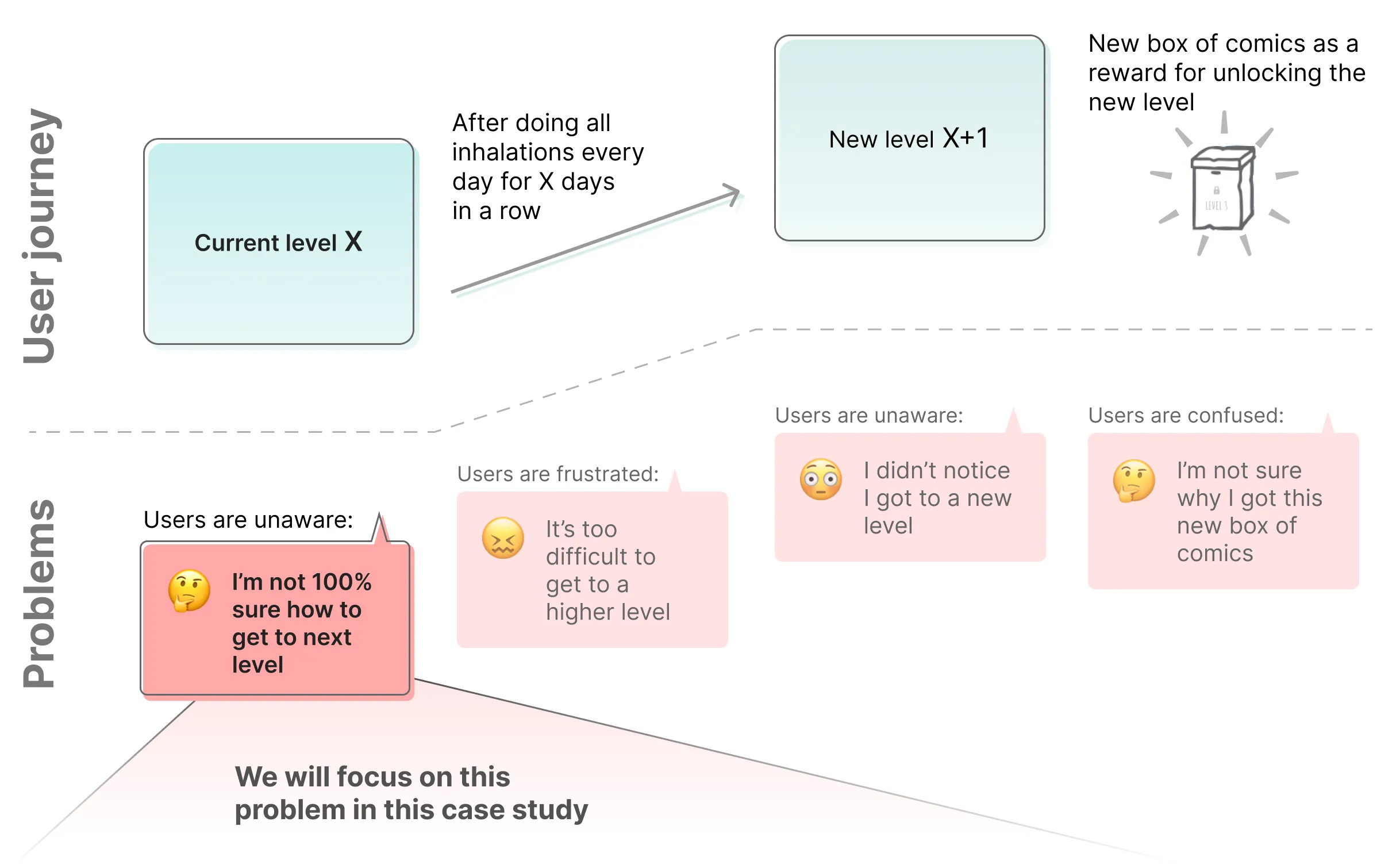
How might we help users to understand how to get to the next level?
We found these points important:
- Some of our youngest users have trouble reading.
- Creating something more tangible and visual would probably work better.
So we narrowed down our question to: How might we visualise level progression?
Why we didn't talk to users first: CF is an extremely rare disease and our target group is only dozens of kids in Czechia, which makes recruiting extremely difficult. It made sense to leverage our hypotheses and iterate on designs internally before talking to users.
Sketching how to visualise level progression
Sketching allowed me to quickly discover ideas for possible solutions. The goal was to make the level progression information more clear, self-explanatory and prominent.
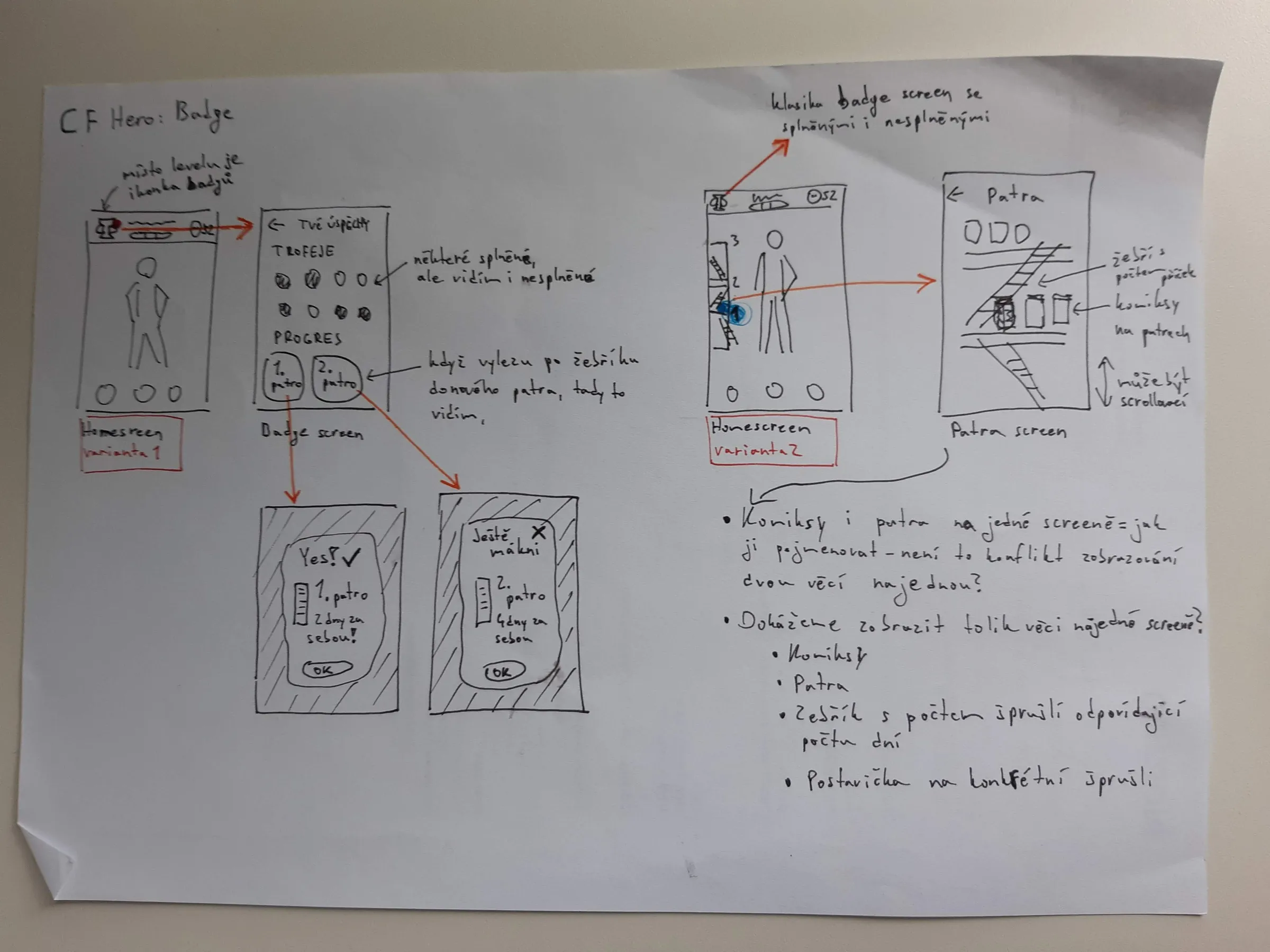
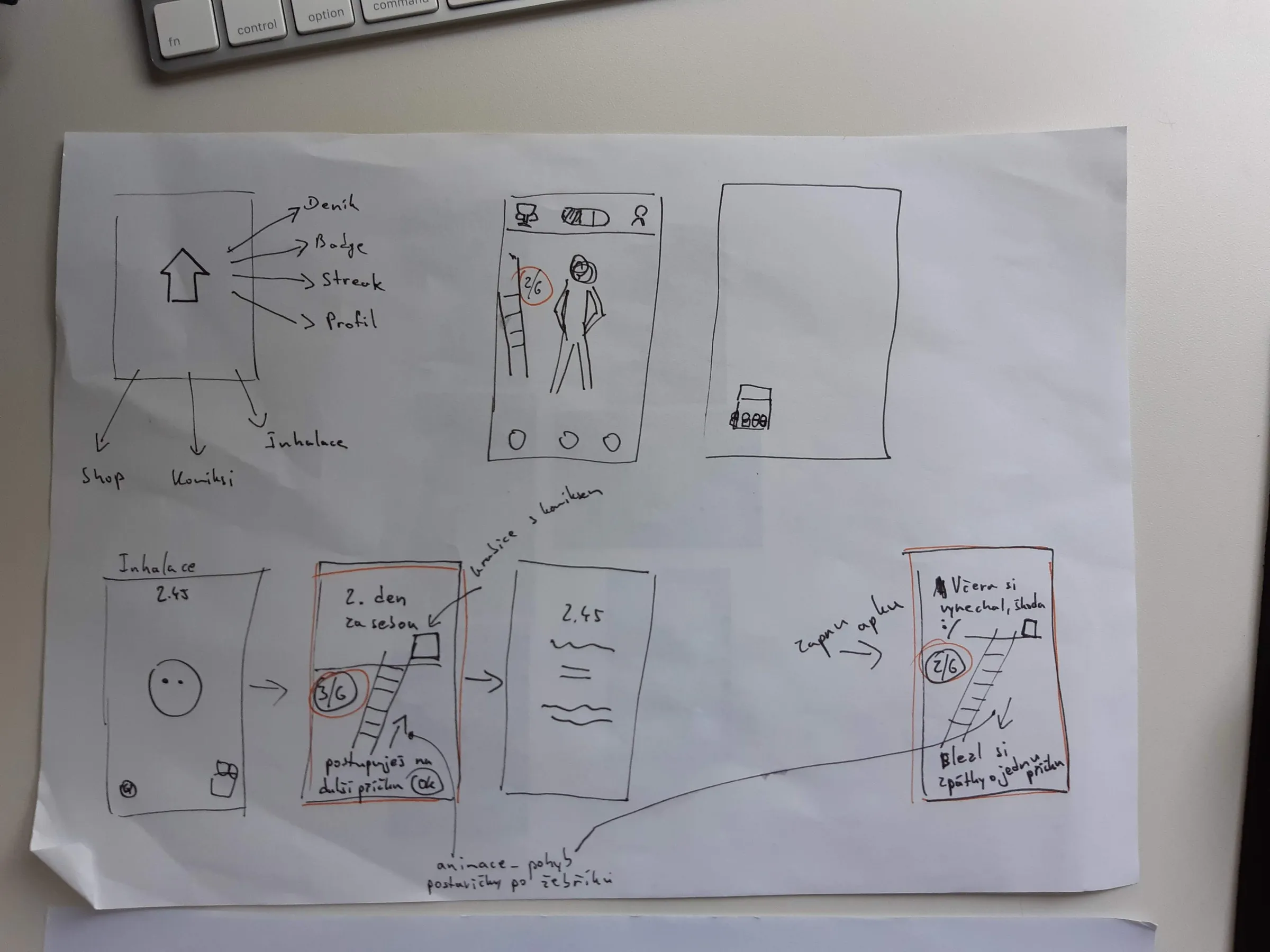
One of my early ideas was to have a ladder on which the app avatar would climb as the user progressed to a higher level. We wanted to make the progression more tangible.
A "keys" metaphor that made level progression easy to grasp
Bringing my sketches into Figma in the context of the existing flow helped me make sure the new designs would fit into the existing app. At this point I was mostly generating ideas and sketches, and Petr, our senior designer, was mostly providing feedback and ideating with me how they could be improved.
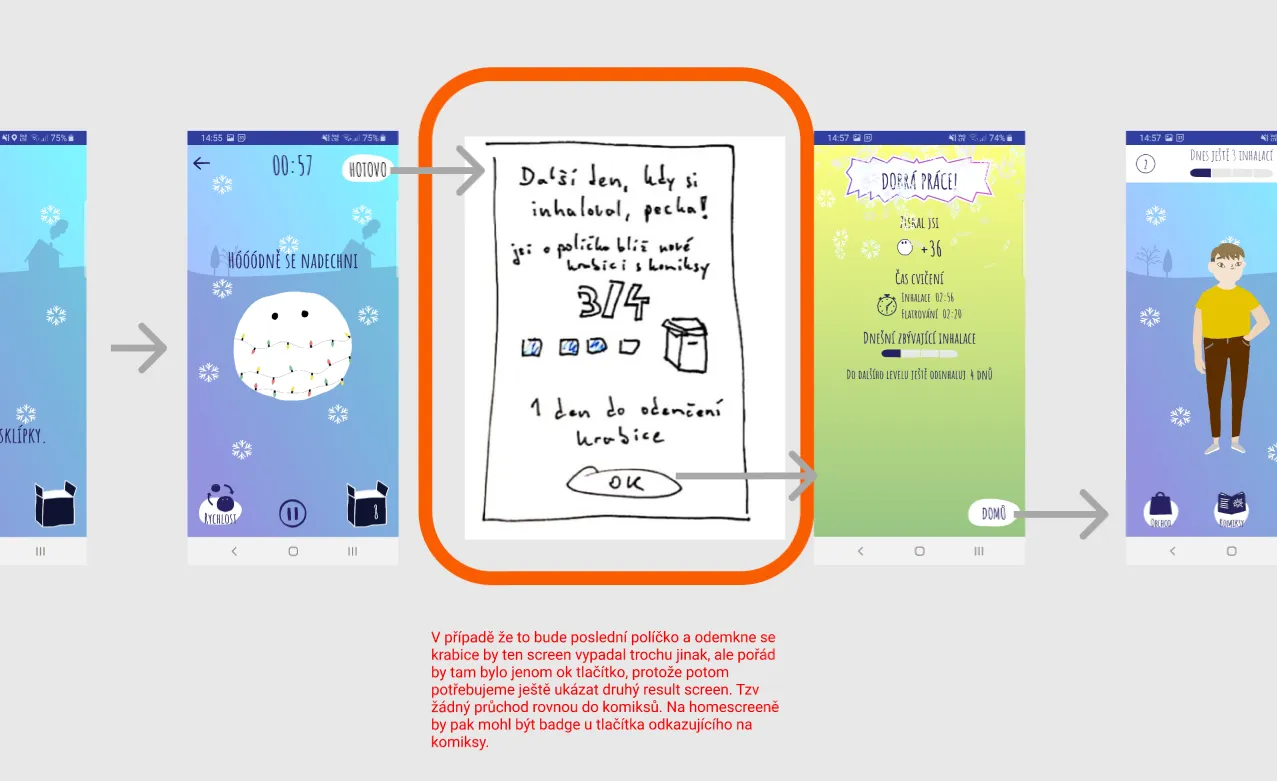
In the first iteration, I was inserting sketches of screens into the current flow diagram of the app. We wanted to show after each inhalation a new screen with progress to the next level and that a new box of comics would be unlocked once the new level was reached.
COLLABORATION: Working in tandem with Petr proved to be enormously beneficial. Together we discussed each iteration to bring it a step further to the final solution.
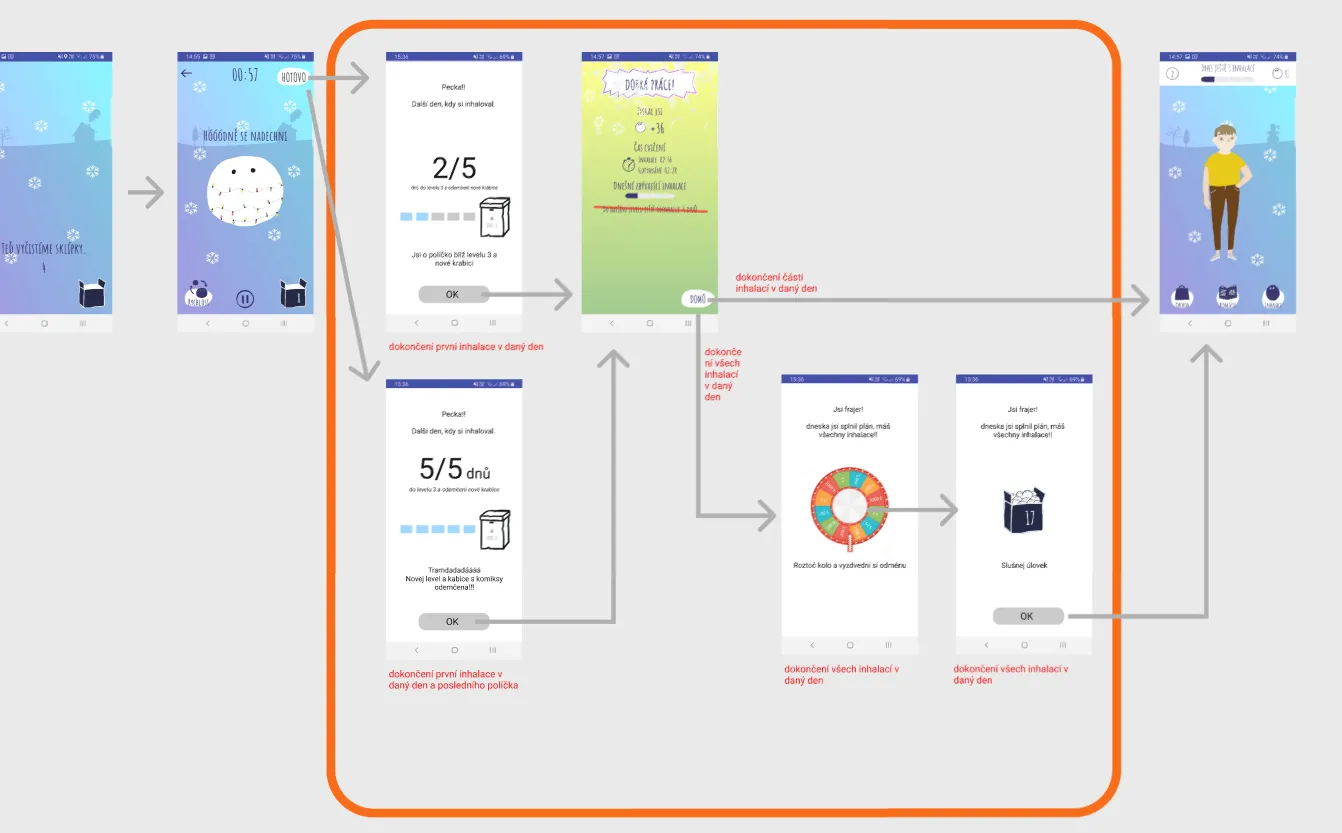
The second iteration involved basic wireframes (the white screens inserted into the previous app flow) which made iterating faster.
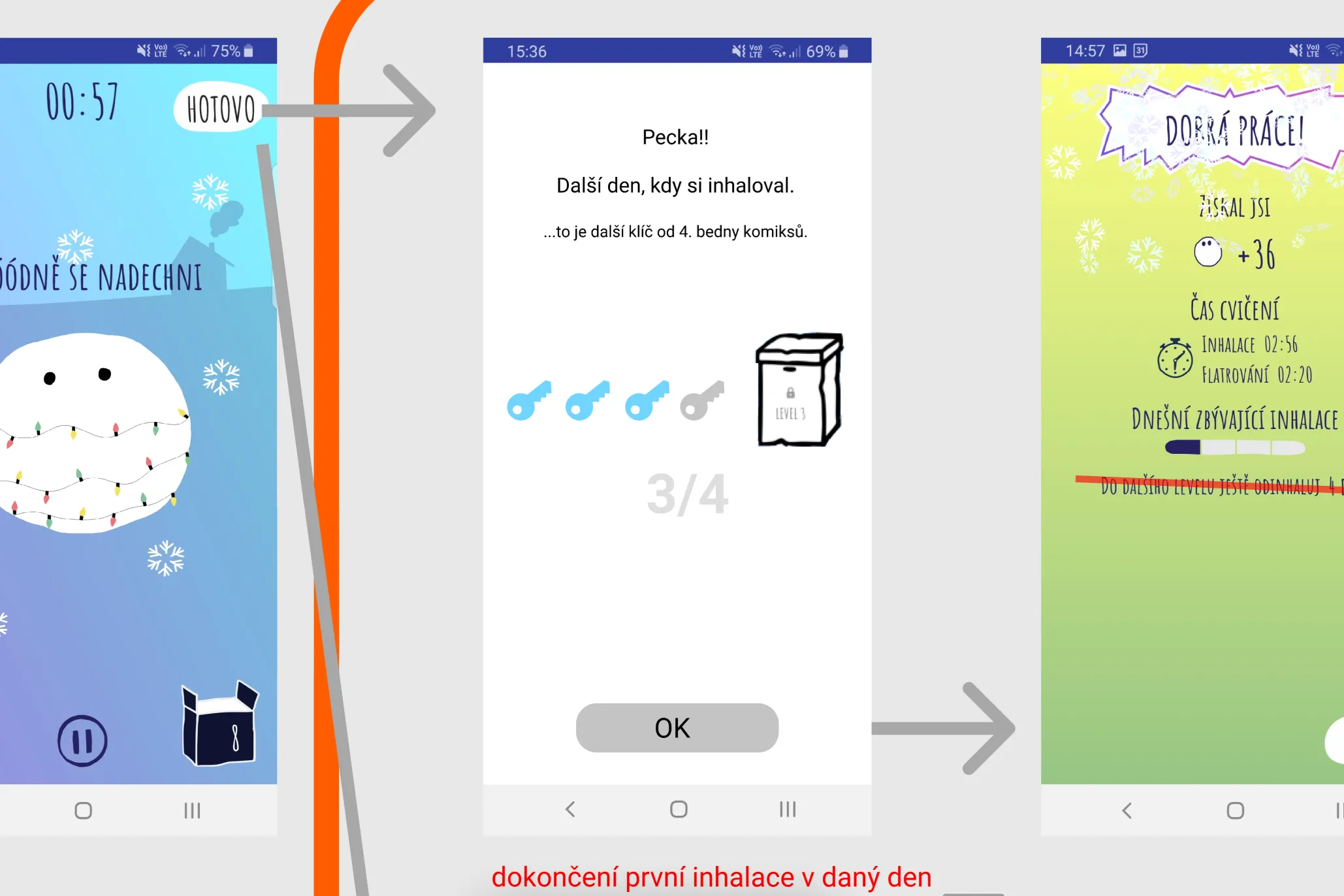
In the third iteration, I thought of the idea to use keys instead of regular squares for showing the progress. The metaphor of "unlocking" the box with the keys would hopefully make it easier to understand.
Using visualisation of keys as a metaphor for "unlocking" higher levels later proved to be key for immediate understanding of how to get to the next level.
UI designer dropped out, so I did the high-fidelity prototype
When the wireframes were ready, we needed our UI designer to create high fidelity designs for testing. However, the UI designer wasn't available suddenly because of personal reasons, so I stepped in and quickly turned the wireframes into almost final looking designs.
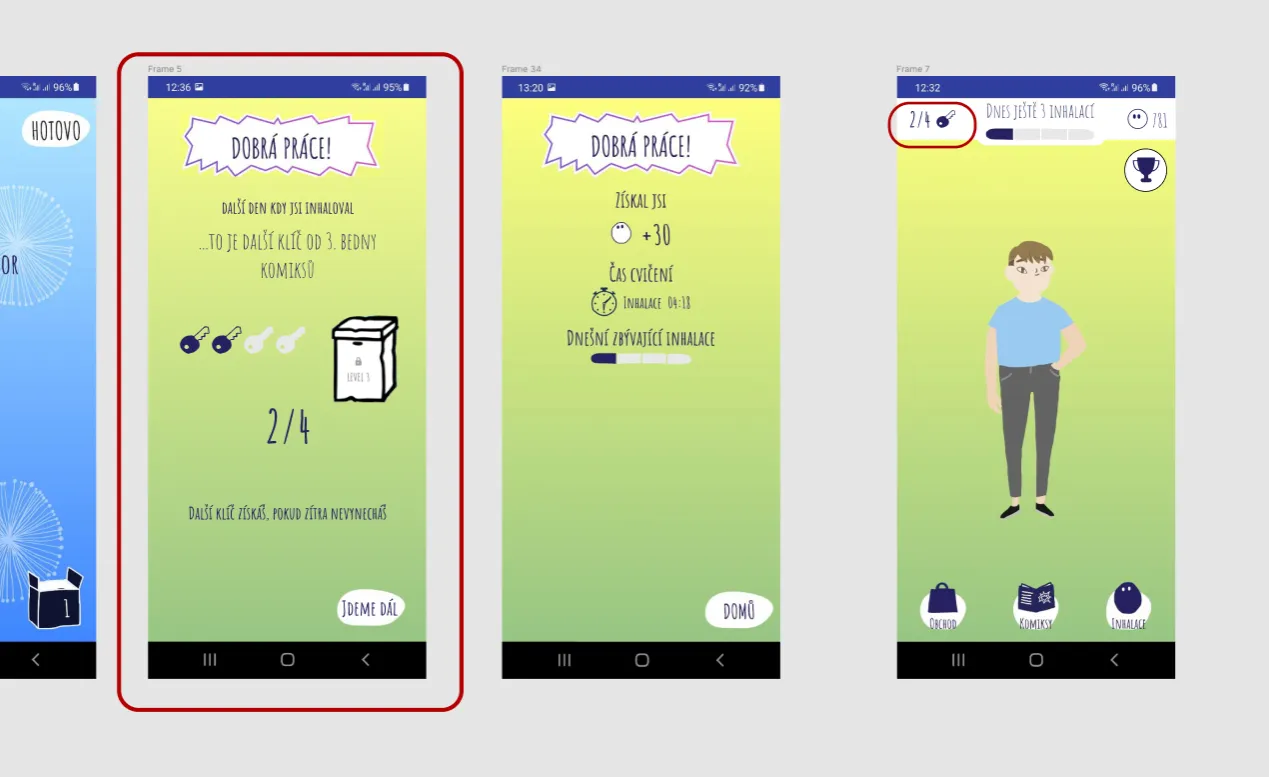
The changes compared with the previous app version are highlighted with red rectangles.
Testing designs with kids with CF
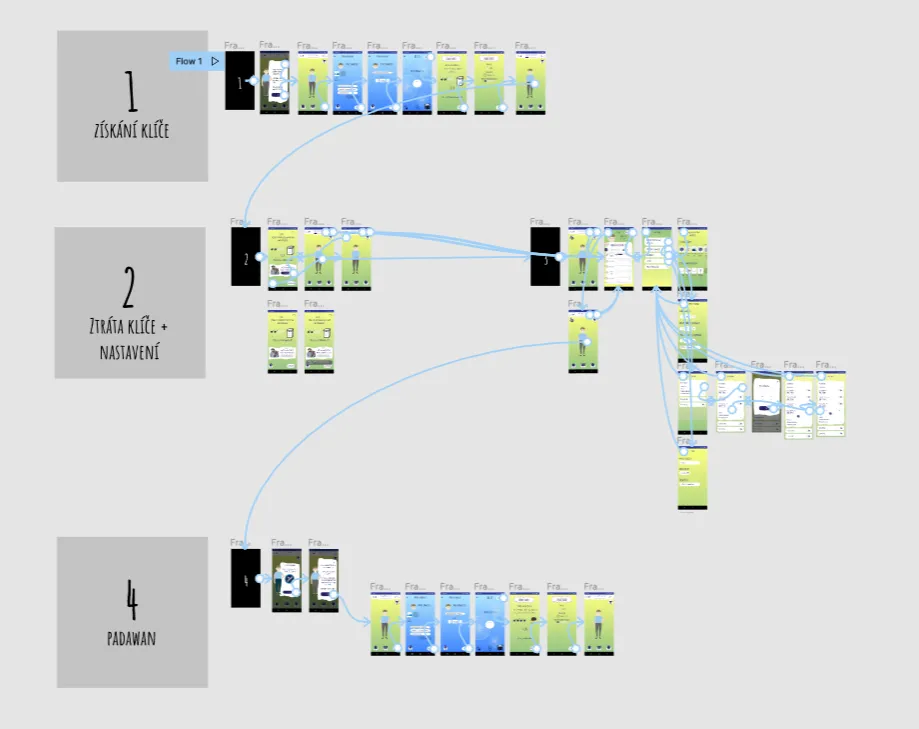
Prototype ready for testing
We tested with 7 kids from our target age, from 10 to 16 years old, which meant we covered the whole age spectrum and were able to discover the majority of usability issues.
Hypothesis
Findings
Do users understand in the old version how to progress to higher levels?
→
Most had only a vague idea about how to generally progress. Some were not sure at all. (Analytics confirmed no one had passed level 3.)
In the new design, do kids understand how unlocking new levels works?
→
There were some phrases in the copy that made it hard to understand. These we needed to tweak.
Is it clear that if they break the streak, they can buy back lost keys from the dark market?
→
This was clear. We only adjusted the price as multiple kids said they would never buy it because it was too expensive.
Tweaking copy and pricing after kids told us what confused them
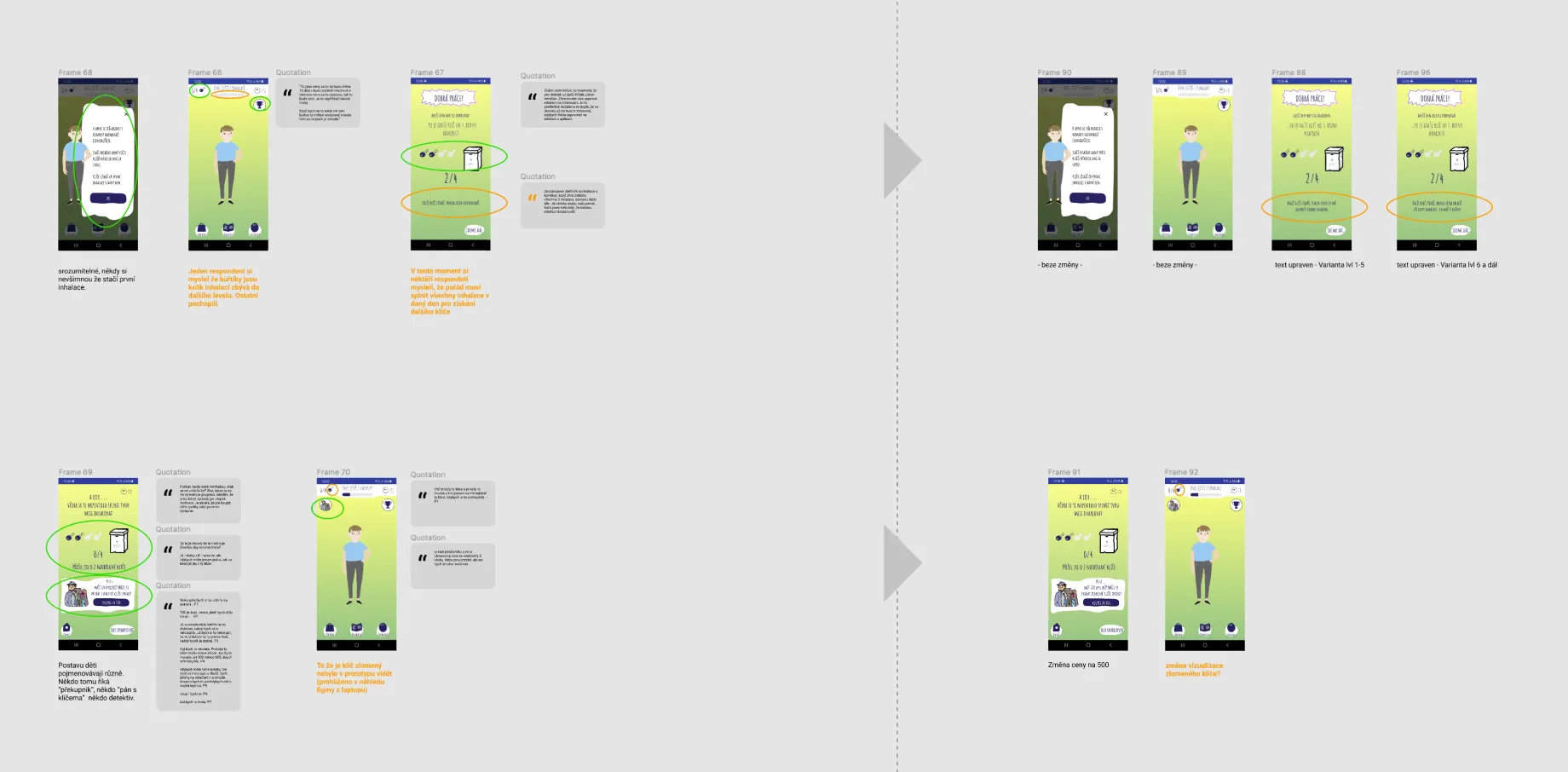
Part of the design with highlighted usability issues and quotes as evidence on the left side. Design adjustments with descriptions on the right side.
A lesson learned: handover wasn't enough without earlier dev involvement
After the usability tests, and collaborating with our illustrator and newly hired UI designer, we had the final designs which I handed over to developers in a form of user flows with described behaviour.
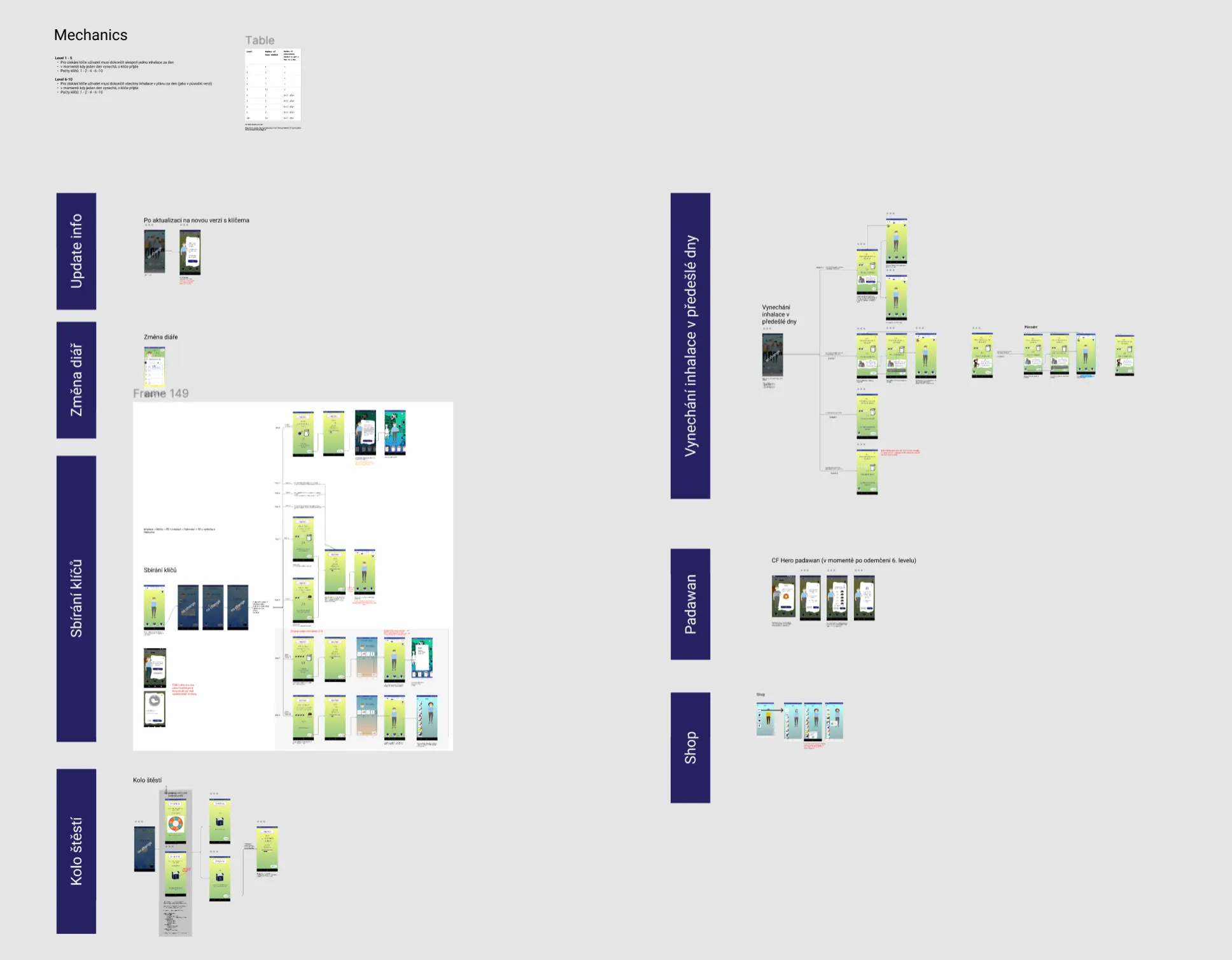
Final flows explaining all the scenarios as a reference for developers.
LEARNING: Not involving developers in the design process earlier (other than one quick feasibility check) meant there wasn't sufficient clarity about designs even after a handover session. This resulted in many clarifying questions throughout implementation. Because of this, in the next project I had regular meetings with our two main developers to discuss design, get their feedback, and gather ideas from them which improved the design significantly, while increasing their ownership.
After project
Kids are now doing inhalations more regularly
- Understanding of levels: Kids now understand how to progress to new levels and what the reward is, making them more motivated.
- Level progression: All users were previously on maximum 3rd level. After a few weeks, most users were above the 3rd level, and the highest achieved level reached 15.
- Regular inhalations: Progressing to higher levels means kids are sticking to their inhalation plan and exercising with the app more regularly, meaning they are staying healthier.
How the final design solves the problems
Problem
Solution
It was too difficult to progress to a higher level (needed to complete all planned inhalations every single day)
→
The first five levels now require only one exercise a day (to build the habit). The following levels require all inhalations in a day to build the actually needed habit.
Children didn't understand how to progress to a higher level
→
Kids now see a new screen after the inhalation with keys as a metaphor for how many days of inhalations are completed and how many are left.
Children didn't understand that reaching a new level meant a new box with comics
→
The reward (box of comics on lower levels, new clothing item on higher levels) is visualised next to the keys, making it easy to understand for all children.
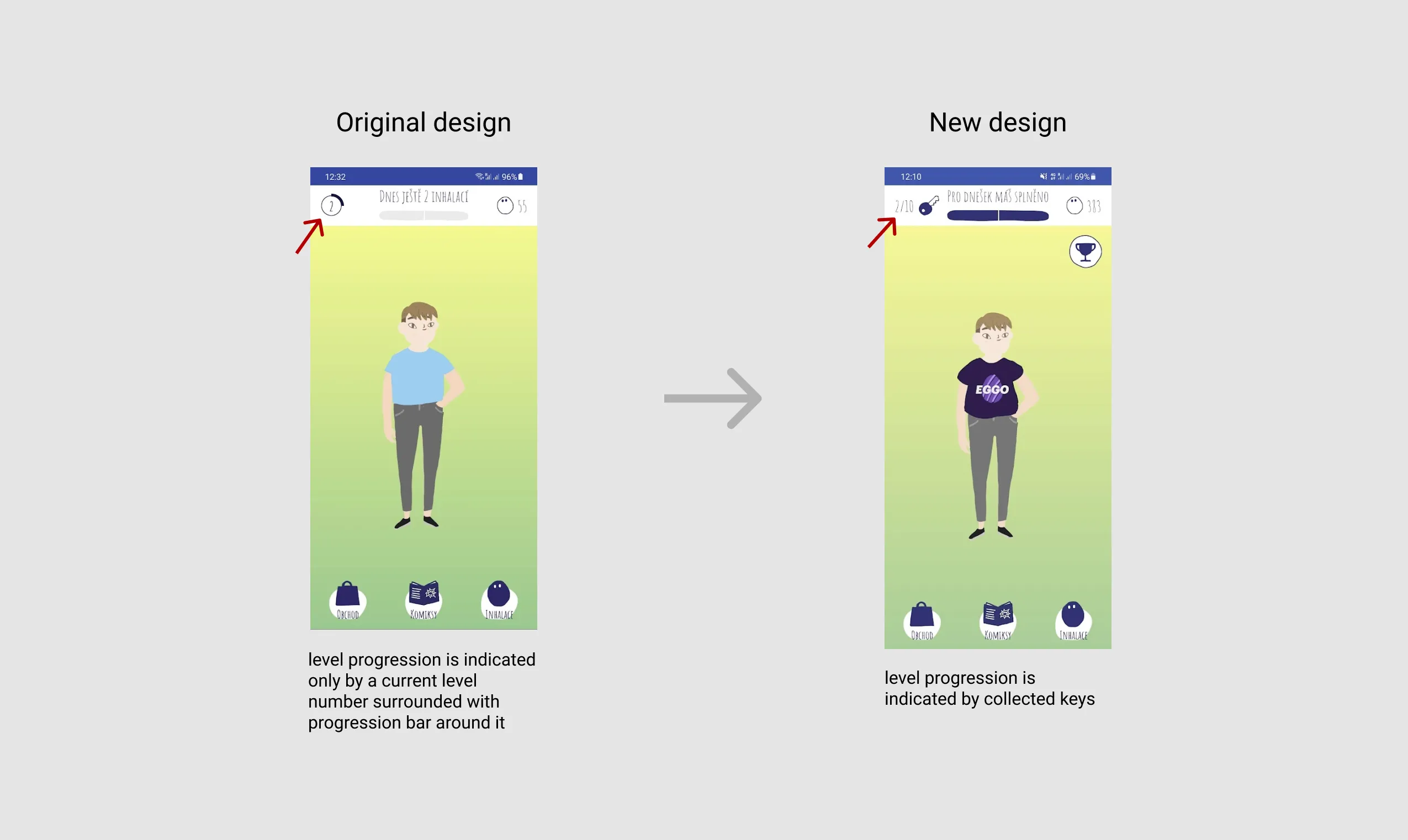
Before & After — the home screen
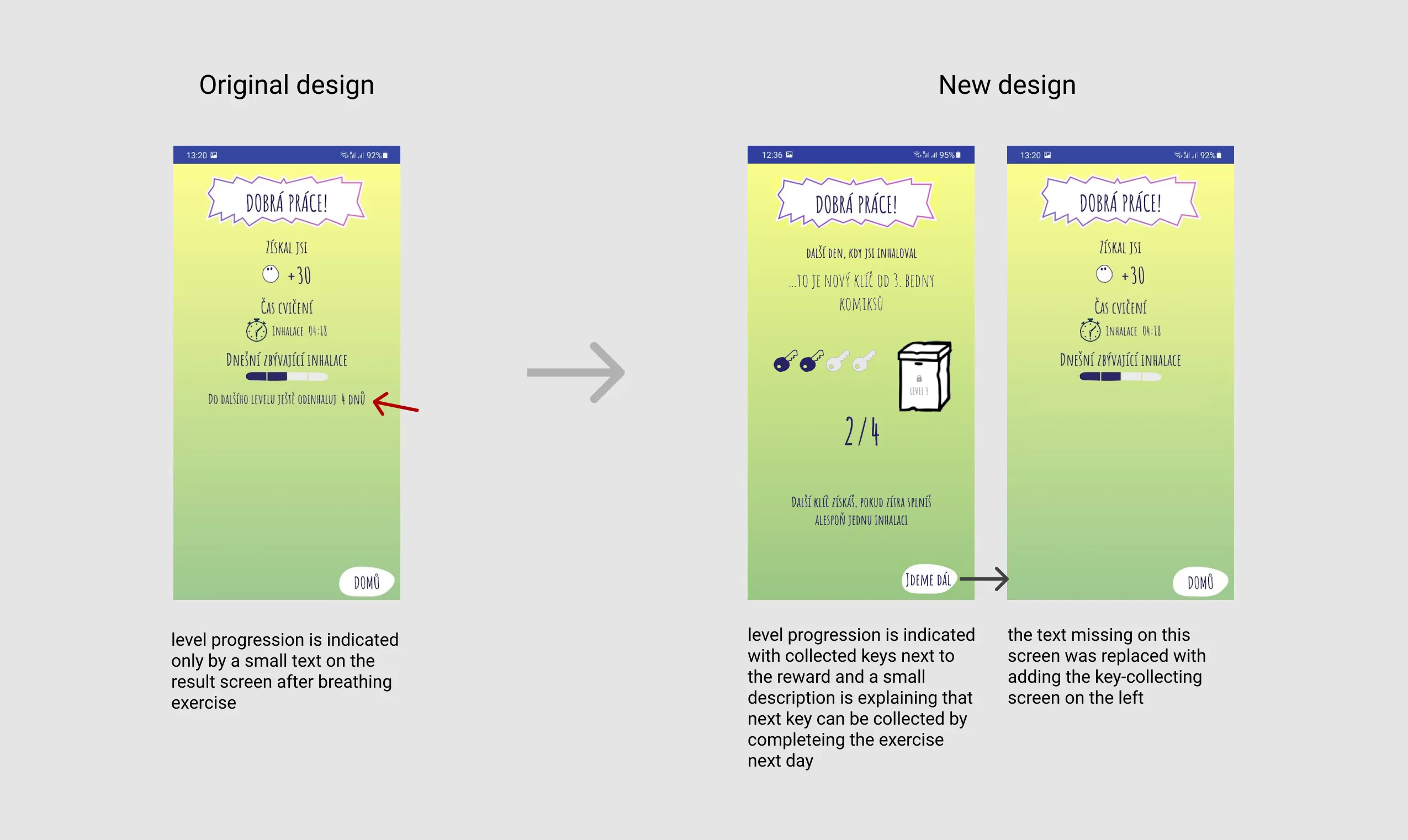
Before & After — the result screen
Close collaboration with DEV and UI is essential
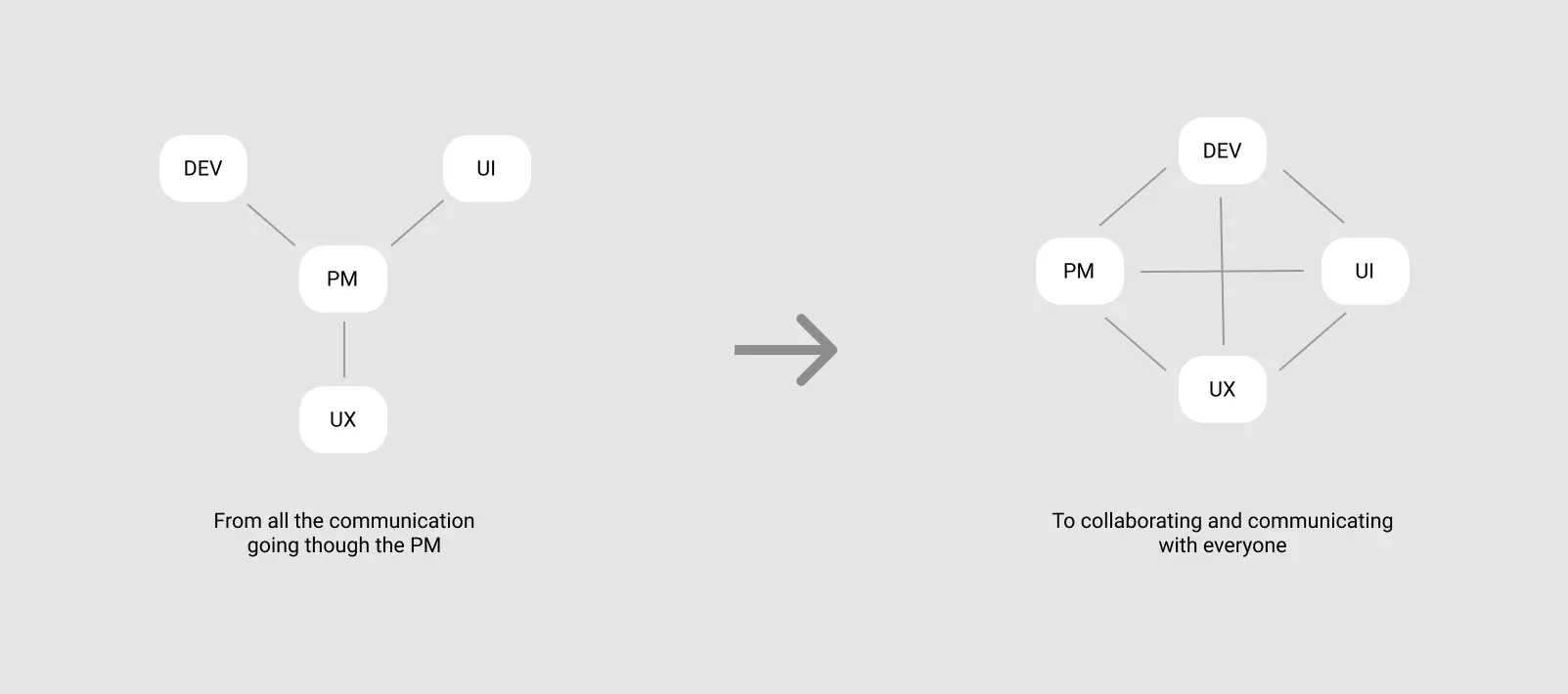
As I started working in CF Hero and all the work was remote, I didn't know everyone on the team closely, and almost all communication was done through the product manager. From this project I learned I need to establish closer collaboration with developers and the UI designer to prevent misunderstandings and keep everyone on the same page.
Petr, the senior designer I worked with, says I'm an organised designer and empathetic facilitator.
Petr Kosnar about working with me:
"I was impressed how fast Ondrej got into an extremely complex and unusual context of a rare genetic disease, and was able to understand the limitations and challenges and started coming up with well established solutions. Ondrej was also very successful in steering the communication of broader team and improving information exchange leading to more efficient product development. He proved to be a good and empathetic facilitator of the research sessions with teenagers, which is a truly challenging target group for research, especially in the healthcare context. Working with Ondrej is a joy - he is well organized, has great and original yet realistic ideas, well established analytical thinking and solid toolbox of research and design methods. Thank you Ondrej for a great collaboration, I hope to work on more projects with you in the future!"